
DIY Golf Simulator for Under $1,000: What's Realistic and What's Not?
Almost every golfer has heard it: "I could build that simulator for a thousand bucks." On the surface, it sounds tempting—especially when you start browsing budget nets and launch monitors. But when you break down what a real golf simulator includes, a true "under $1,000" build simply doesn't add up.
In this post, we'll walk through what actually goes into a simulator, what you can get for under $1,000, and why that number usually leads to disappointment, safety issues, or a setup you'll want to replace in a year.
What a True Golf Simulator Really Includes
A proper golf simulator is more than a net and a launch monitor. It has five core components working together:
✓ Launch monitor or sensor system — tracks your ball and club data
✓ Enclosure and impact screen — safely contains shots and displays ball flight
✓ Quality hitting mat and surrounding turf — protects your body and simulates real turf feel
✓ Projector or TV — for visual ball flight and course play
✓ Computer/tablet and simulator software — where the courses and data live
If you compromise too hard on any of these, you don't really have a simulator—you have something closer to a practice net with a gadget attached. Which is still great for basic practice, but for a few bucks more, you could have an ideal setup.
Why "Under $1,000" Is a Myth for a Full Simulator
Let's look at rough reality, even with very conservative, budget-focused choices:
Entry-level launch monitor easily eats up most of a $1,000 budget on its own
Safe, durable enclosure and impact screen typically add several hundred dollars
Decent hitting mat — more than a cheap doormat if you care about your joints
Display — projector or TV, plus mounts and cables
Software — often a one-time fee or ongoing subscription
By the time you add taxes, shipping, and small accessories (cables, mounts, padding), the idea of doing all of this safely and reliably for under $1,000 starts to fall apart.
So, when someone says "I can build that for a grand," they're almost always doing one of three things:
- Leaving major components out of the budget
- Using ultra-cheap materials that won't last (or won't be safe)
- Calling a basic net + phone app a "simulator" when it really isn't
What You Actually Get for Under $1,000
Under $1,000, you're realistically in "practice station" territory, not "full simulator studio" territory.
A typical under-$1,000 setup looks like:
• A basic practice net or budget frame
• A very entry-level launch monitor or basic swing sensor
• A lower-cost mat, often thin and hard
• No projector — maybe just a phone, tablet, or TV with basic data
Can you hit real balls? Yes. Can you see some data and get a sense of ball flight? Probably.
Does it feel like a true indoor simulator experience — with an impact screen, projected golf course, and safe enclosure? Usually not.
_1_1776390674135-CqyRkcbH.png)
The Dangerous Part: Cutting Corners on Safety
The area where the under-$1,000 dream can go from "disappointing" to dangerous is the enclosure and impact zone.
Cheap shortcuts often look like:
- • Thin nets that fray or tear with repeated use
- • No side or ceiling protection (hello, shanks and high wedges)
- • Hard bounce-back from walls or poorly padded frames
- • Low ceilings that are never measured properly
A proper enclosure is designed to:
- • Take thousands of full-speed impacts
- • Contain mishits and protect walls and ceilings
- • Reduce bounce-back so balls don't come back at you
- • Fit your space safely with proper clearances
Once you factor this in, it becomes clear that trying to cover launch monitor + safe enclosure + mat + display + software under $1,000 means something has to give — and it's often safety and durability.
The Comfort Factor: Mats, Feel, and Long-Term Use
Another hidden trap in the "cheap sim" mindset is the hitting mat. It's easy to see a $50 mat and think "That'll do." But over time:
- • Thin, hard mats can hurt your wrists, elbows, and back
- • Poor-quality turf can wear quickly, bubble, or shift under your feet
- • You end up wanting to upgrade anyway, spending more in the long run
A good mat is a long-term investment in your body and your enjoyment. When you're trying to cram everything under $1,000, this is one of the first areas that gets downgraded — and you feel it immediately.
Display and Software: The First Things to Get Sacrificed
To hit a $1,000 target, most people sacrifice the things that make a simulator fun:
- • No projector or impact screen — just a tiny laptop or phone screen
- • Free or very bare-bones software with limited courses and modes
- • Laggy, low-resolution visuals that don't feel immersive
You can absolutely start with a TV you already own or a basic monitor to save money, but when the total budget is capped at $1,000, even that becomes tight once you cover the essentials. That's why so many under-$1,000 "sims" end up feeling like a practice station rather than something you want to invite friends over to use.
A More Honest Way to Think About Budget
Instead of asking "Can I build a full simulator for under $1,000?" a better question is:
💡 "What's the minimum I should spend to get a safe, enjoyable, accurate setup?"
💡 "What can I start with now and upgrade over time?"
A more realistic approach:
- ✓ Accept that a true full simulator will typically cost more than $1,000
- ✓ Start with a solid launch monitor and a safe hitting environment
- ✓ Use an existing TV at first, then upgrade to a projector and premium software later
- ✓ Treat your build as a phased project, not a one-weekend bargain hunt
This way, you avoid wasting $1,000 on gear you'll quickly outgrow or regret, and instead put your money toward components that will form the foundation of a proper sim room.
Want a Real Starting Point?
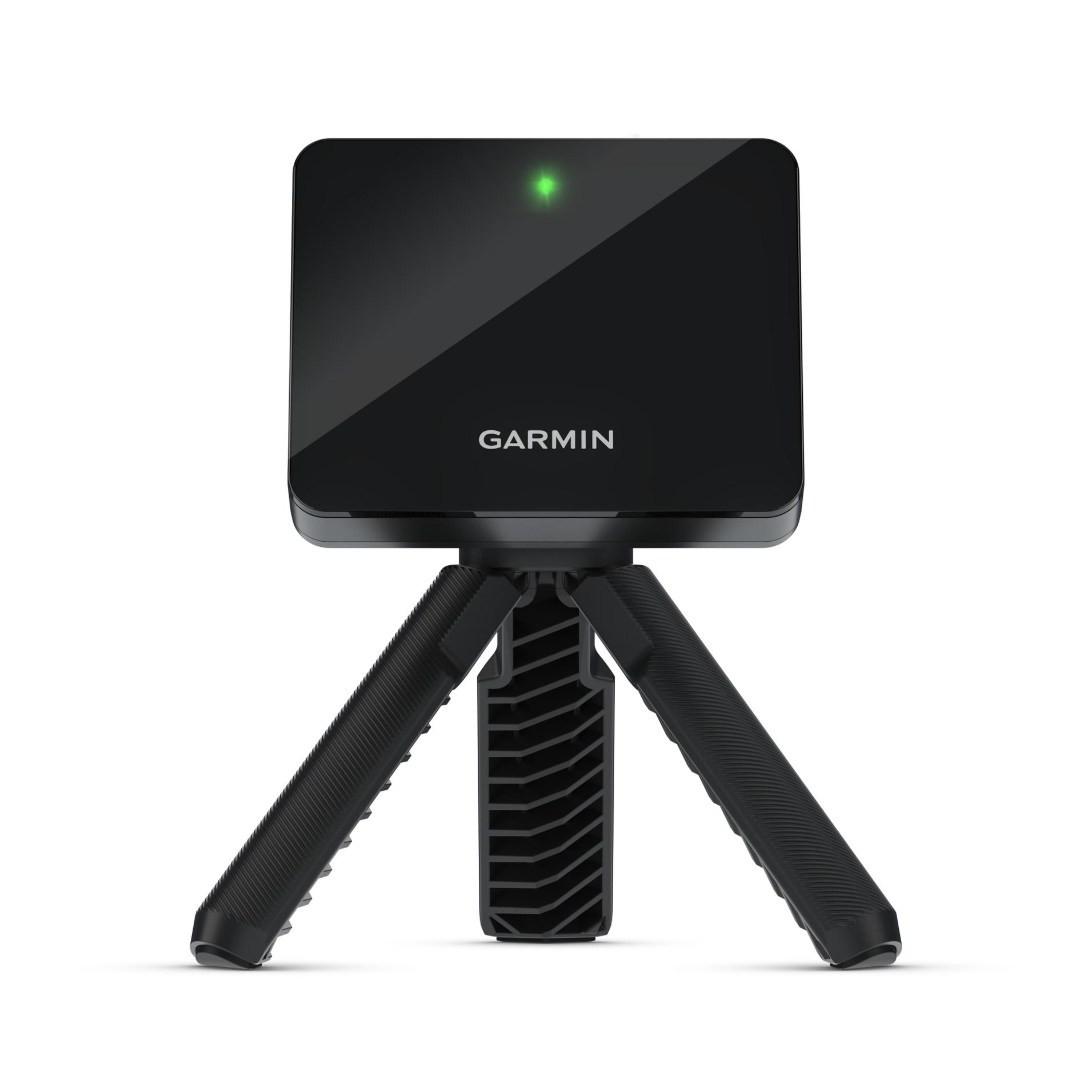
We sell a complete starter bundle — home driving net, Garmin Approach R10, and a standard hitting mat — starting from $1,732 CAD.
That's a safe, fully functional practice setup you can actually use and trust — and it can grow with you.
See Our Golf Simulator Bundles →So, Is a $1,000 Simulator Impossible?
If "simulator" means:
- • Safe, fully enclosed hitting bay
- • Impact screen with projected ball flight
- • Quality launch monitor with reliable data
- • Comfortable mat for long-term use
- • Software that keeps you improving
Then yes — under $1,000 is effectively unrealistic.
If you're talking about:
- • A basic practice net
- • A very entry-level sensor
- • A cheap mat
- • No enclosure, no impact screen, no projector
Then sure, you can stay under $1,000 — but manage expectations.
The Bottom Line
Reach out to us to find a solution that actually fits your needs. We can give you our best recommendation for any space or budget — even if it means starting small now and planning smart upgrades over time. We're happy to help.
The goal isn't just to spend the least amount of money. It's to make sure that what you buy gives you a safe, enjoyable experience that you'll actually use for years to come.